LPC Lab
is a training and knowledge tool for competitive Street Fighter 6 players, designed and built with AI-assisted development workflows using tools like Claude and Codex.
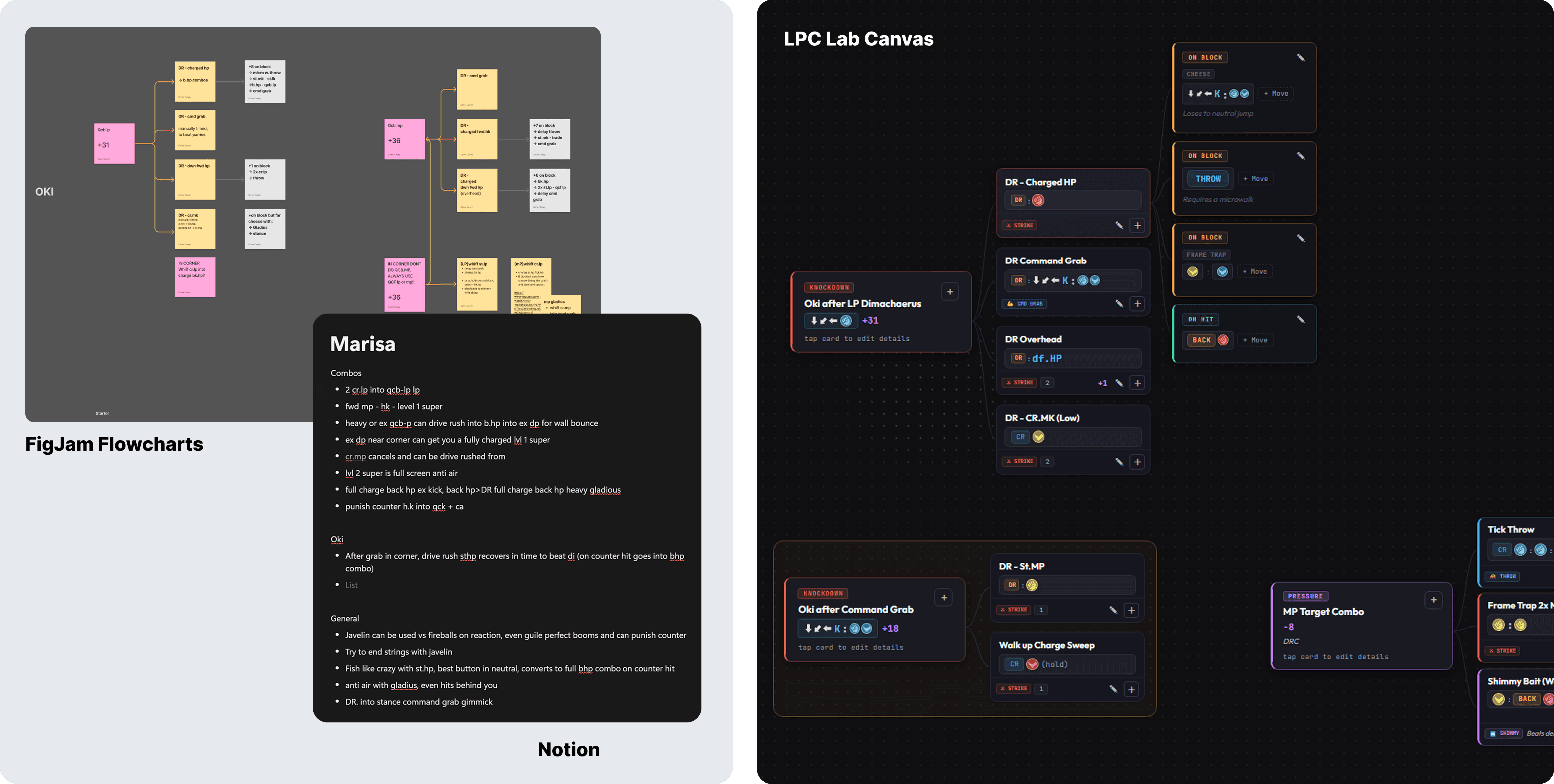
I created it to replace the mix of FigJam boards, Notion pages, matchup notes, and scattered links I used while learning characters and match-ups ahead of tournaments. The result is a live multi-user supporting MVP with structured builders, auto-generated canvas layouts, cloud sync, and an in-app chat-bot style assistant called Fight Coach.
Tools Used:
React, Supabase, Claude, Codex
Topics:
AI, UX Architecture, Data Modelling, Interaction Design, Shipped MVP
Date:
April 2026
MVP Web Link:
The Problem
Improving at a serious level in fighting games is partly a knowledge problem.
You need quick access to your knockdown options (Oki), pressure routes, combo paths, match-up notes, and practice drill ideas. The issue is that this information usually ends up spread across too many tools.
In my own workflow, Oki trees lived in FigJam and combos in Notion, with video resources and references across tabs and social media sites like Twitter. The information existed, but maintaining it was slow and awkward. Every update created more manual work, which made the whole system harder to keep current and harder to use in practice.
Reframing the Problem
The real shift came when I stopped thinking about this as a note-taking problem and started treating it as a structure problem.
Freeform tools are useful because they are visual, but they are also expensive to maintain. Moving one thing usually means rearranging everything around it. That is fine for exploration, but not for a system you want to update constantly.
The key product decision was to separate data entry from layout.
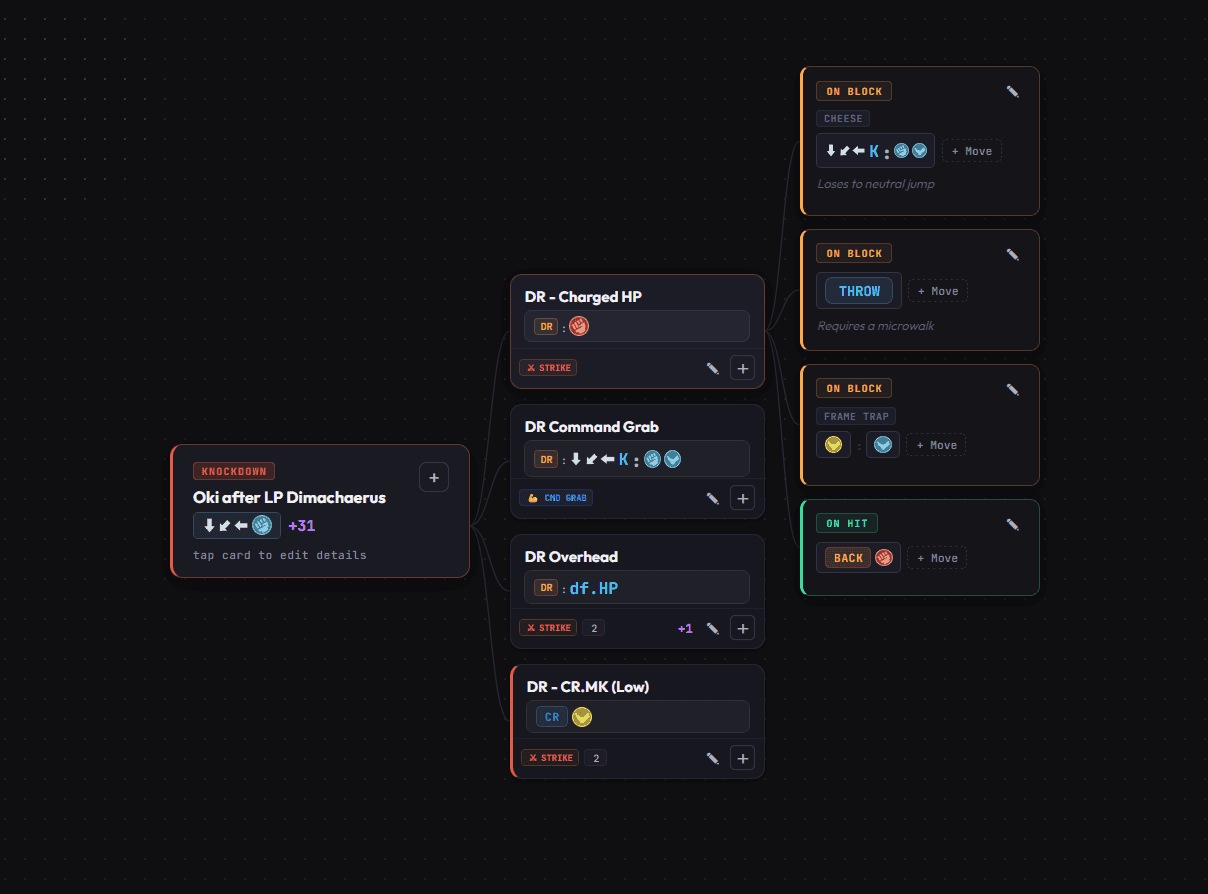
Instead of manually placing notes and arrows, I built a system where users enter structured information and the canvas renders it automatically. Once I made that change, the product became much faster to maintain than the workflow it replaced.
I've included a screen recording of the creating a quick Knockdown flow manually on the canvas, excuse the few recording glitches with drop-downs, few kinks to work out.
The Solution
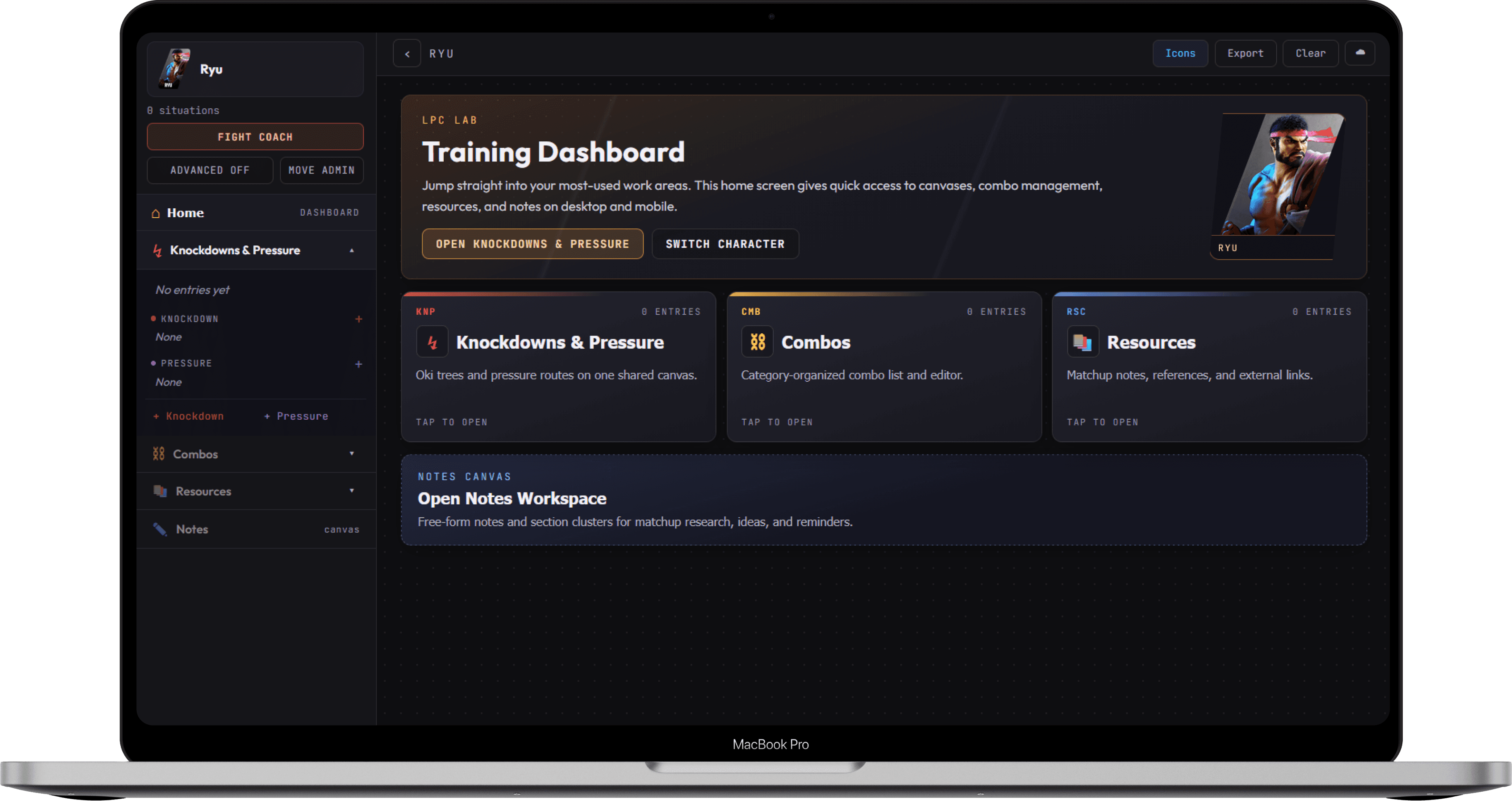
LPC Lab is split into four main areas, each built around a different type of competitive knowledge.
Knockdowns & Pressure
Users enter a situation, its options, and the outcomes that follow. The system then builds the decision tree automatically on the canvas.
Combos
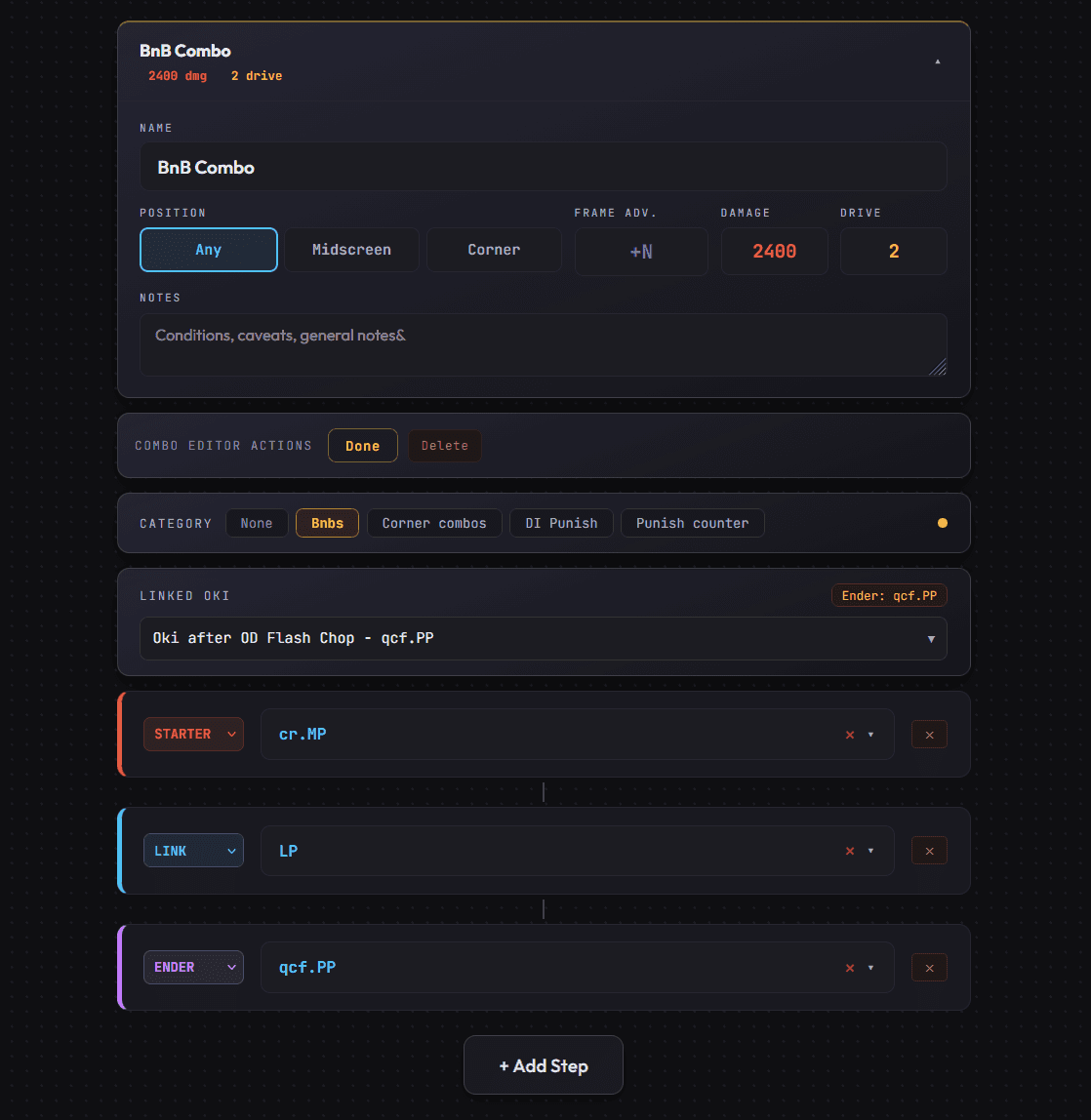
Combos are built using role-based steps like starter, Drive Rush Cancel, reset, and ender, with damage and drive cost tracking.
Resources
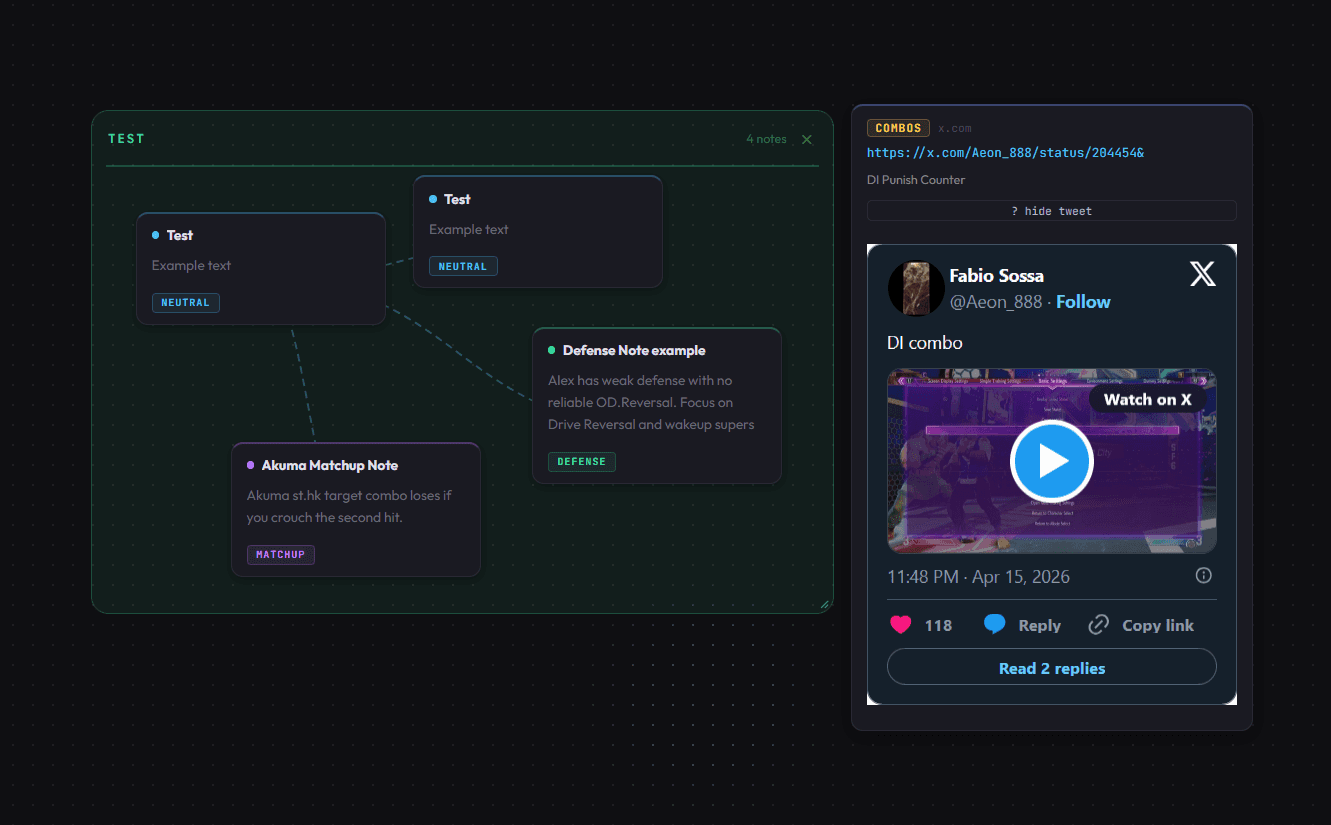
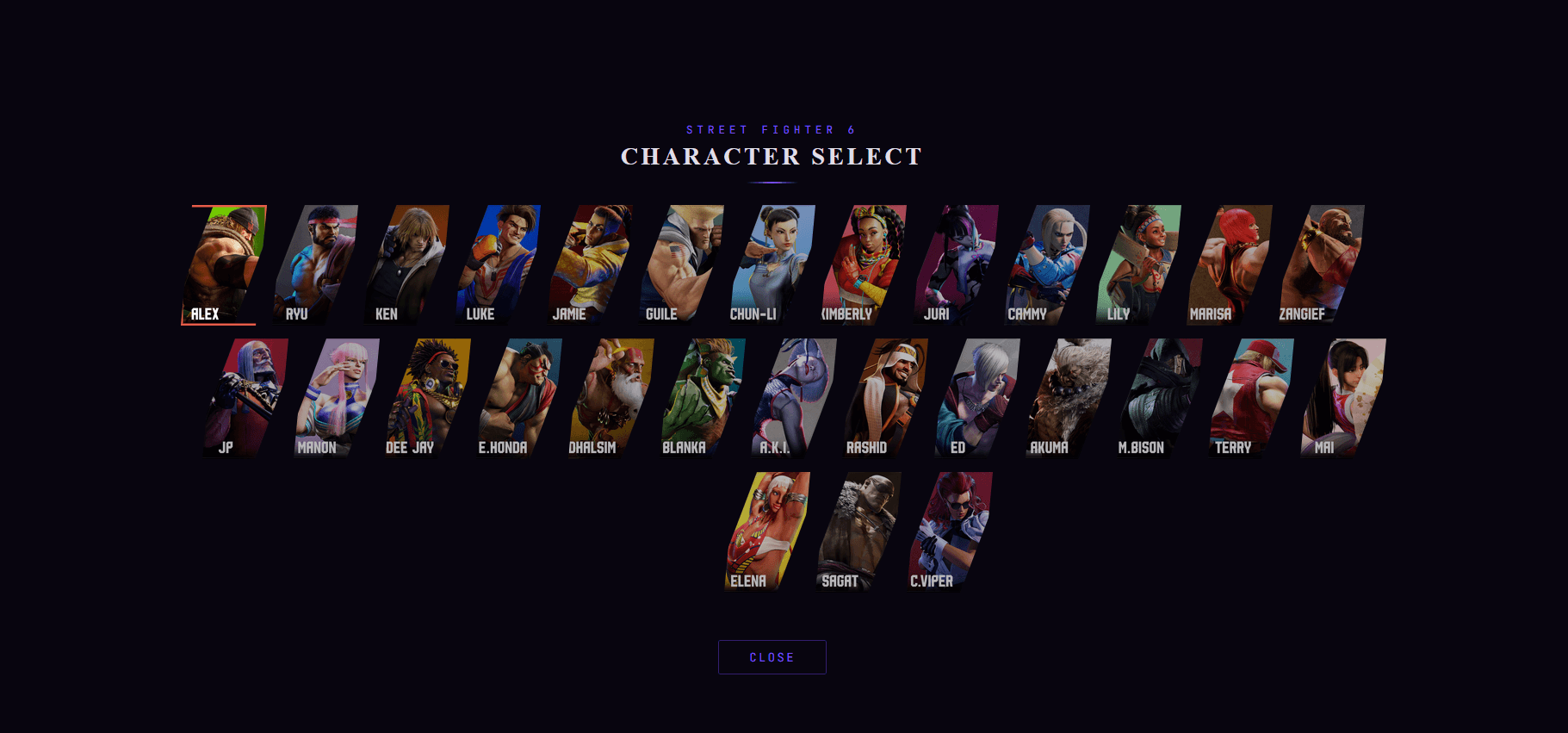
Players can save matchup notes, video links, and external references by character.
Notes
A flexible space for anything that does not fit the more structured builders.
Fight Coach
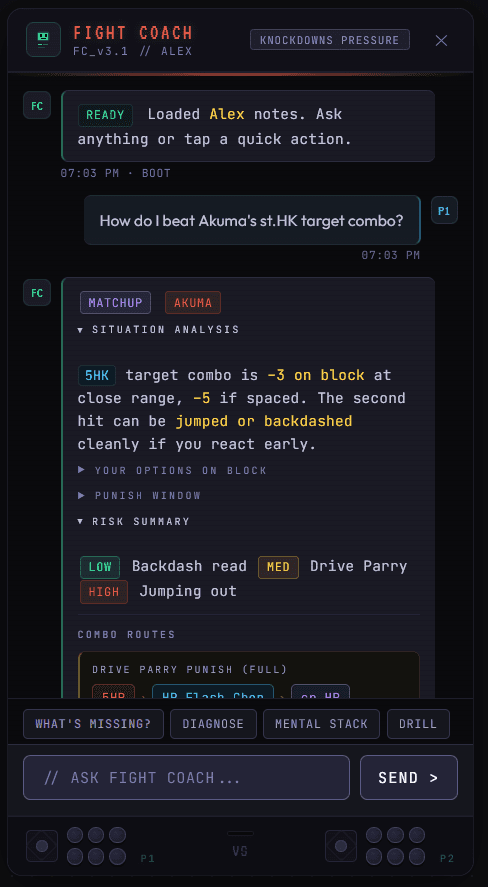
One of the most interesting parts of the project was Fight Coach, an in-app coaching feature designed around the player’s own notes and a curated game knowledge base. Rather than acting like a generic chat interface, it was built to support the actual learning workflow inside the product.
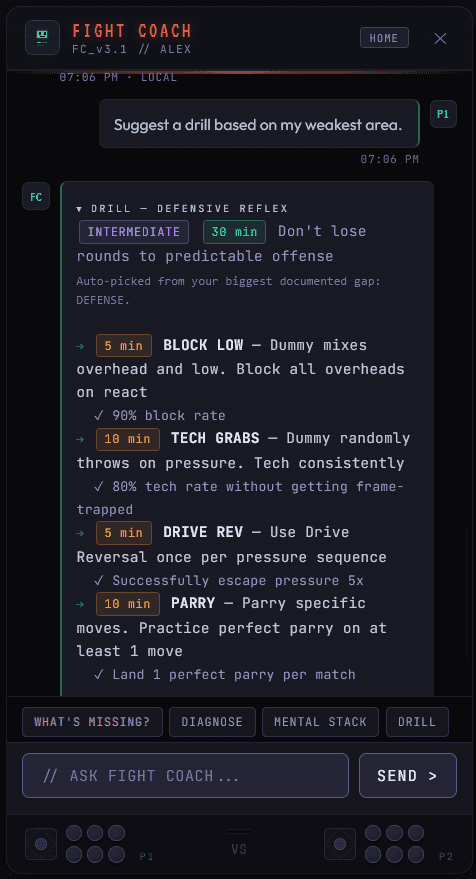
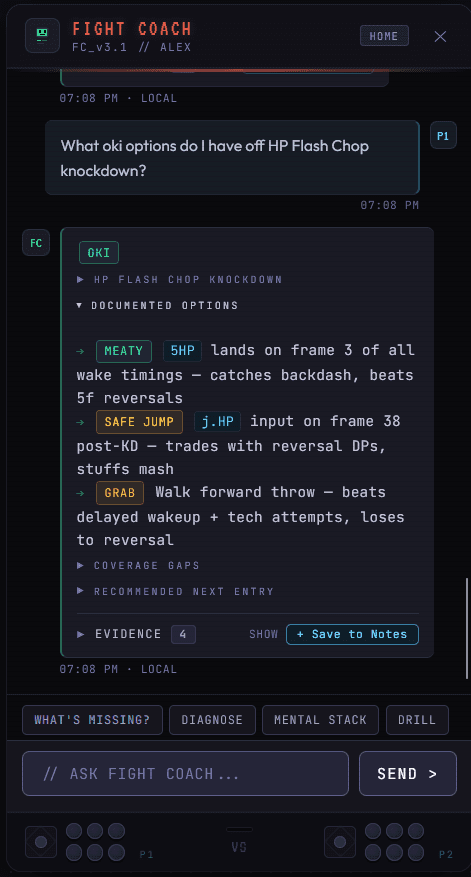
Fight Coach can help with matchup prep, highlight gaps in a player’s notes, suggest drills, explain terms, build mental stacks, and guide users through a step-by-step post-match diagnosis flow.
Below are some examples of the UI, I tried to get a bit of old school arcade flavor on the window with the fonts and subtle arcade buttons & sticks at the bottom of the panel.
AI / Conversational Design Approach
Fight Coach was designed as part of the product’s wider knowledge system, not as a separate chat layer.
Under the hood, I structured it across three parts: the chat interface, a logic layer for things like persona detection, gap analysis, drill generation, and diagnosis, and a curated knowledge layer containing character data, decision trees, glossary terms, and coaching templates. Rather than relying on a generic LLM workflow, I designed it around deterministic response logic and player-note grounding so the experience would stay fast, focused, and trustworthy.
What made the feature more useful was that it fed back into the rest of the product. Players could use Fight Coach to explore a matchup, identify a gap, or generate a drill, then save and build on that knowledge through notes, combos, and canvas-based prep flows rather than losing it in a chat thread.
That made the assistant feel less like a standalone chatbot and more like part of a learning system built around long-term recall and practice.
What & How
LPC Lab was a solo project from design through to deployment. I used Claude Code and Codex as development partners throughout, which let me stay focused on design and product decisions while moving at a pace that wouldn't have been realistic building alone traditionally.
The stack runs on React with Supabase handling authentication, real-time cloud sync, and multi-user data, and Vercel for deployment and hosting. Components were built and documented in Storybook, with the full codebase versioned on GitHub throughout.
The shipped product covers four knowledge areas: Knockdowns, Combos, Resources, and Notes. The canvas layer renders automatically from structured inputs and Fight Coach runs as an integrated coaching layer throughout. It supports authentication, cloud sync, and multi-user access across devices.
The most deliberate cut was freeform canvas editing. Early versions let players move each individual node manually and edit in line on the canvas, which felt powerful but reintroduced the maintenance problem I was trying to solve. Removing it and committing fully to auto-layout was the decision that made the product usable in actual prep rather than just interesting to demo.
Reflection
Additional Images